












Classes and timetable
Every class, room and live link on one timetable, for students and teachers.
Behind every course your students take: the drives they can apply for, the recruiters reviewing them and the mentors from industry guiding their work. In the same portal they learn in.
Behind each course in the portal sits a career moment: a super.money Software Development Engineer drive at 65 LPA by 42 LMS behind Machine Learning; eligibility for three drives behind verified grades; Shanmukh, an industry mentor from Amazon, behind the Industry Project; an Elanco shortlist behind an assignment; an interview round behind a live class; a verified profile; an 88% skill match in the recruiter's view; drive deadlines on the career calendar; a one-tap application; an offer to accept; twelve companies joining the college's placements; and a portfolio that recruiters can see.
With 42 LMS, they do.
Learning, Industry Projects and placements, in one place.Courses, attendance and grading are where most learning platforms end. In 42 LMS they sit right next to everything that turns learning into a job.
Students open the portal they already use for classes and coursework, and find the drives they can apply for: from their own college, and from 42 LMS.
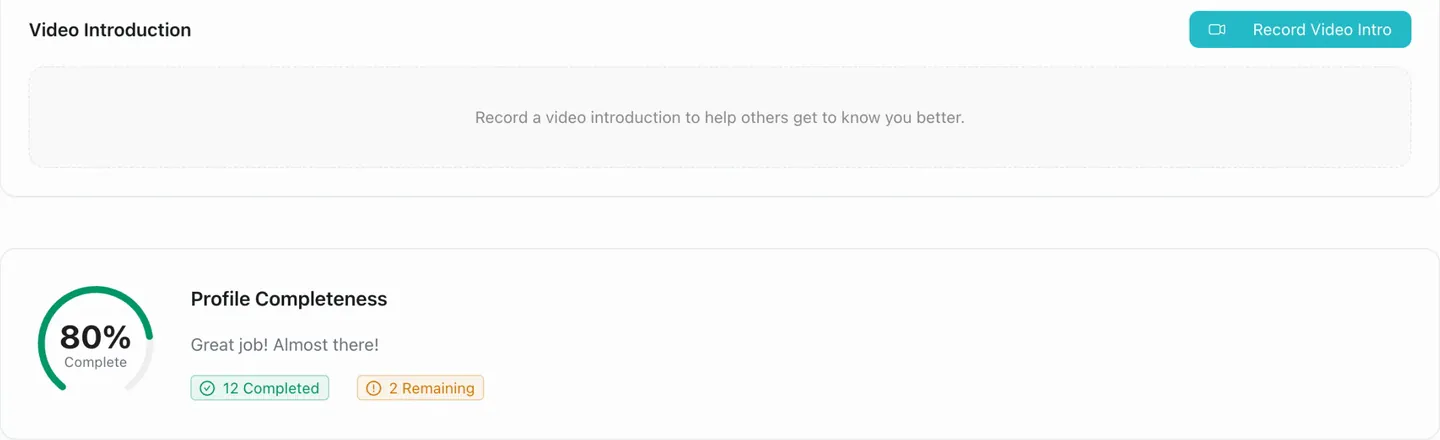
Every student builds one profile in the LMS: education, experience, projects with their code, certifications, skills, achievements, languages and a video introduction. It goes with every application.
The placement cell sets up a drive, then invites the company. Every recruiter who joins adds to your college's own network, ready for the next drive.
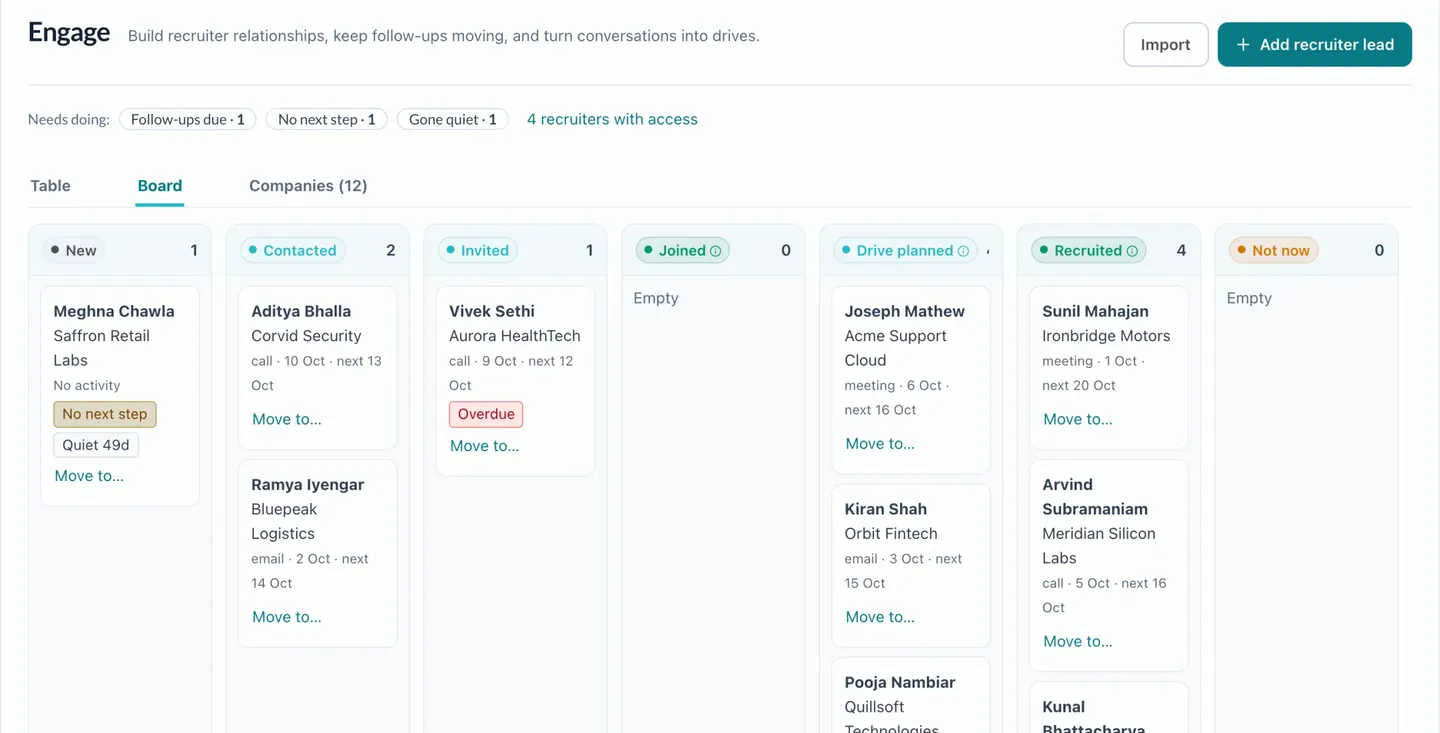
Engage keeps each recruiter lead and conversation in one place: who has been contacted, invited and joined, where a drive is planned, and who has gone quiet. Follow-ups land on the placement calendar.
Press Ctrl K anywhere in the placement cell's workspace to find a student, recruiter, company or drive, or to start something new: a recruiter lead, a drive or a follow-up.
CtrlKTry it: type a name, roll number, company or role.
The placement cell decides who a drive is for: branches, batches, minimum CGPA and verified marks only. Only eligible students can apply, everyone else sees why, and every stage is tracked right up to the offer.
Three criteria, checked against the 86 students looking for a job.
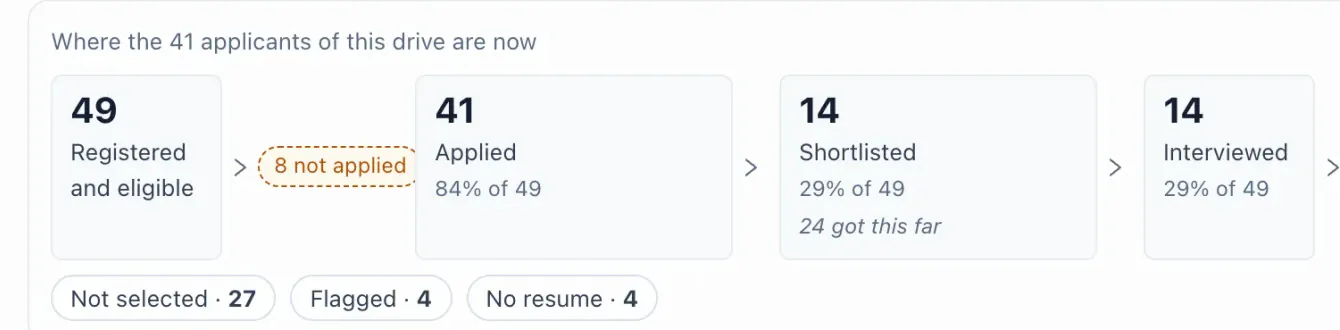
One drive, from applications to offers.
For each batch, the placement cell decides when a student counts as placed, how many offers they can hold, when they can apply again and how long they have to answer. Students read the same rules in plain words, with their own line on top. Try changing them.
You're holding an offer of ₹8 LPA. If you accept it, you can still apply to drives paying ₹11.2 LPA and above, or any drive tagged Dream.
When you accept an offer. An offer you have not accepted yet does not count.
Up to 2 offers at a time. Before you accept, you see exactly which of your other offers and applications it would end.
You can still apply to drives that pay at least 40% more than your offer, and to any drive marked Dream.
You get at least 48 hours to accept or decline. An offer you do not answer in time expires.
Internship offers do not count as placed, so you can keep applying to full-time drives.
Attend every round you are booked for. If you cannot make it, ask to reschedule before the day. The placement cell can bar students who miss rounds from later drives.
Your placement cell sets these rules. If they change, the new rules apply to applications made after the change.
Applications reach the recruiter as they come in. They review one student at a time, with marks, skill match, résumé and work on one card, and decide with a key. Try it.
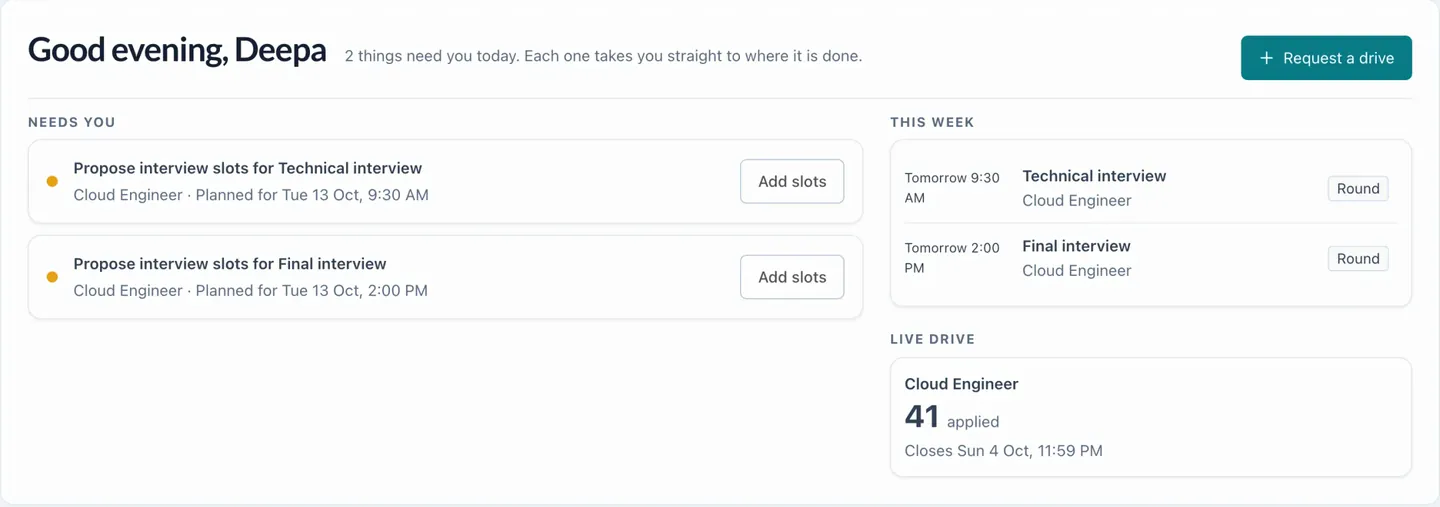
Each drive has its rounds. Recruiters propose interview slots, students see what's next in their career calendar, and offers arrive with a date to respond by.
The recruiter proposes slots for each round; the placement cell sees them on its calendar.
Rounds, talks, deadlines and follow-ups for every drive, on one placement calendar.
When the placement cell invites a batch, each student says whether they're in for placements. When something needs a decision, like more time on an offer, a correction or an off-campus offer, they ask in the portal and the placement cell replies right there.
Entrepreneurship and competitive exams can be recorded too, for NAAC and NIRF.
What students can ask forElanco · Associate Software Engineer. I have a semester exam on 31 Oct. Could I have until 3 Nov to answer?
You have until 3 Nov, 6:30 PM to accept or decline. All the best for the exam.
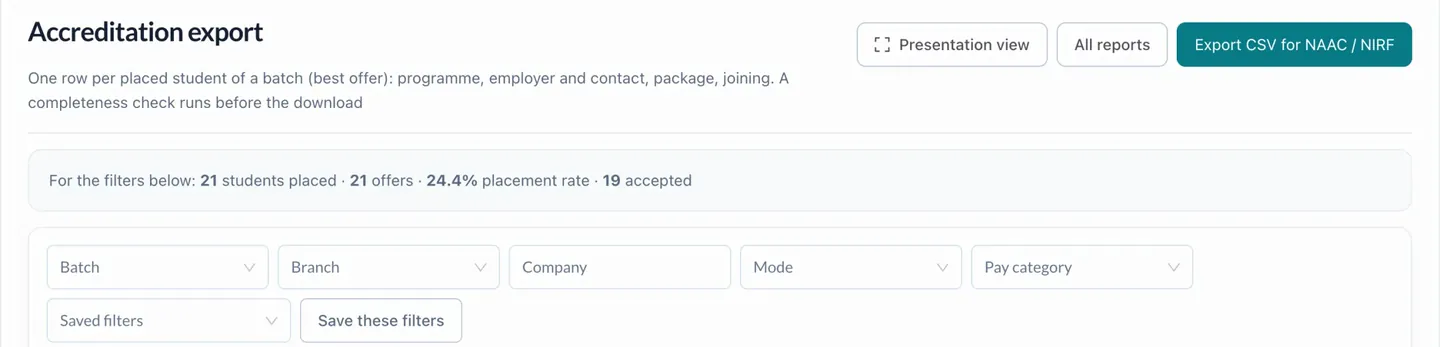
Ask a placement question and get the answer in a click: who's placed, by branch, company and package, who is still looking, and why students didn't get through. When NAAC or NIRF asks, the export is ready.
Every offer by where it stands (selected, released, accepted, declined...), with the students behind them
21 students placed · 24.4% placement rate · 19 accepted
For each branch: students looking for a job, placed, the placement rate, offers and packages
For each company: drives that ran, students who applied, students placed, offers and packages
Highest, median and average of each student's best offer, and how packages are spread. Internships are left out.
Students looking for a job with no offer that counts as placed: their marks, résumé, applications and whether they are still in a drive
65 students
Sort by Applications to find who has stopped applying; Résumé and Marks show who is held back by their profile.
For each company: released, waiting, accepted, declined, expired and withdrawn, and the acceptance rate
Acceptance rate: of the offers students answered.
For each company: of the students who accepted, who joined, deferred or did not join
Not cleared and no-shows, by company, round, branch and reason
For each company: contacts, invited, joined, drives that ran and students placed (the same numbers as Engage)
Every student of a batch with what they do after college (placed, higher studies, entrepreneurship, competitive exams...) and the count for each, as NAAC 5.2 and NIRF ask for it
NAAC 5.2 and NIRF count one graduating batch.
The placement cell sees every student who is still looking: their marks, résumé and applications, and whether they're still in a drive. Each drive shows who wasn't selected, who's flagged and who hasn't added a résumé, and why students didn't get through.
Across the season, the report breaks this down by company, round, branch and reason.
Some drives come from 42 LMS itself, on top of the college's own. Students apply in the same place, and recruiters review profiles the placement cell has already verified.
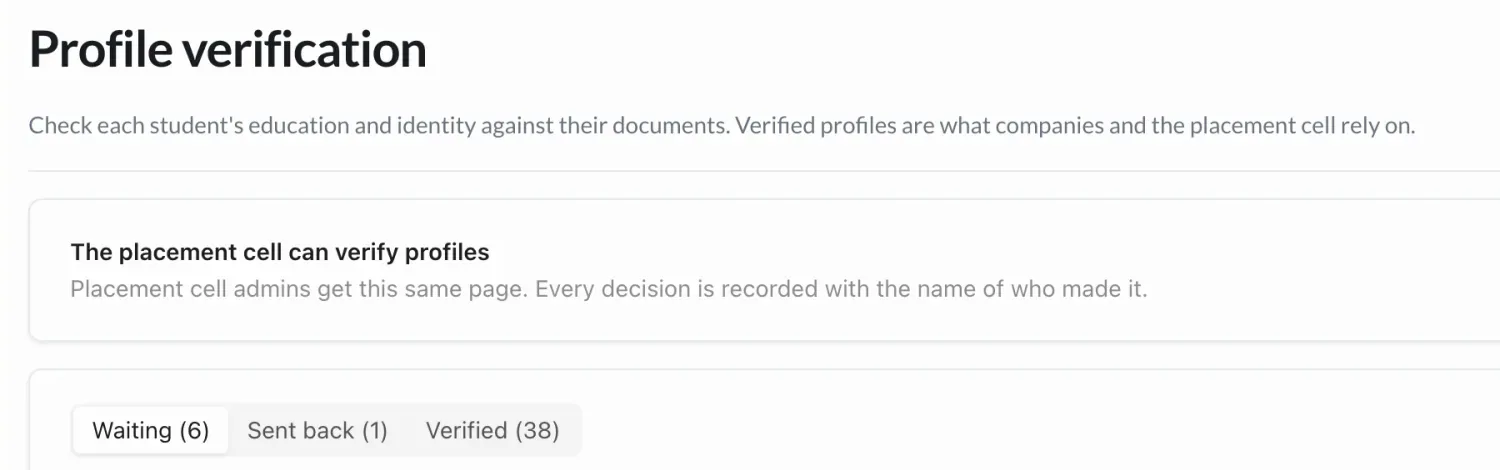
Recruiters see the applicants shared with them, and contact details only once the placement cell shares them. Students see the drives open to them and why the others aren't. Every verification decision is recorded with the name of who made it.
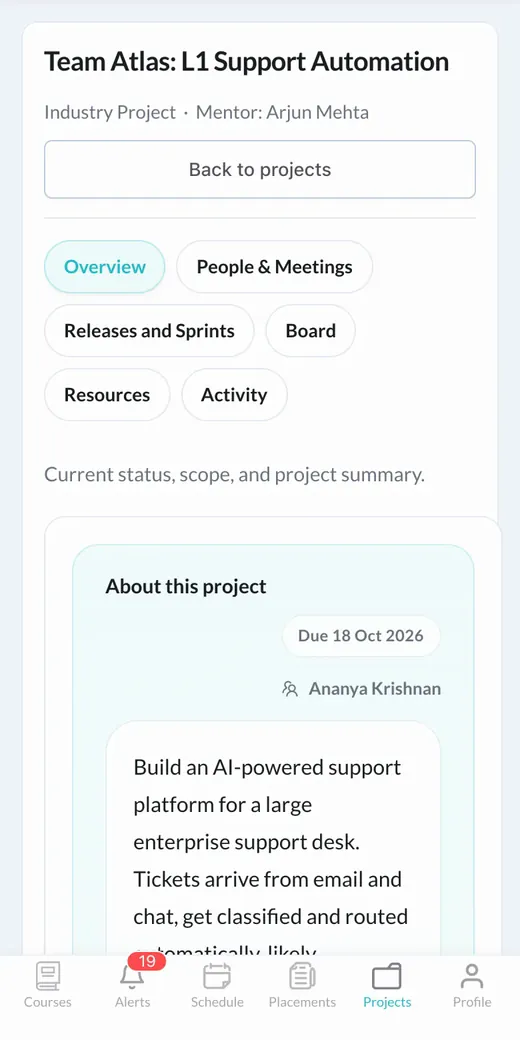
In Industry Projects, students build real things over several sprints, guided by mentors from industry. The work goes into their portfolio, where recruiters can see it.


Reviews Team Atlas's work at every sprint, from design to production.
Students, the placement cell and recruiters each get a home on their phone, with what needs them today at the top.
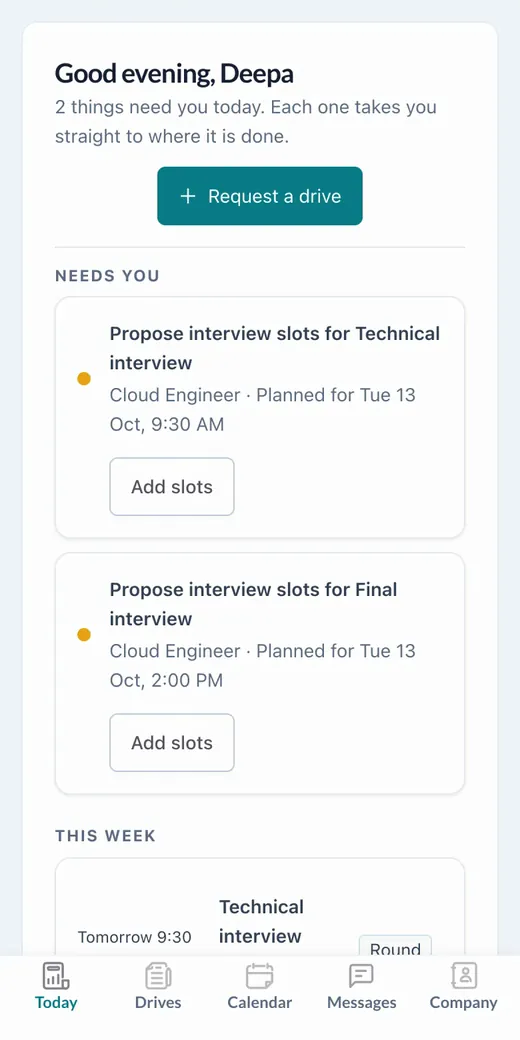
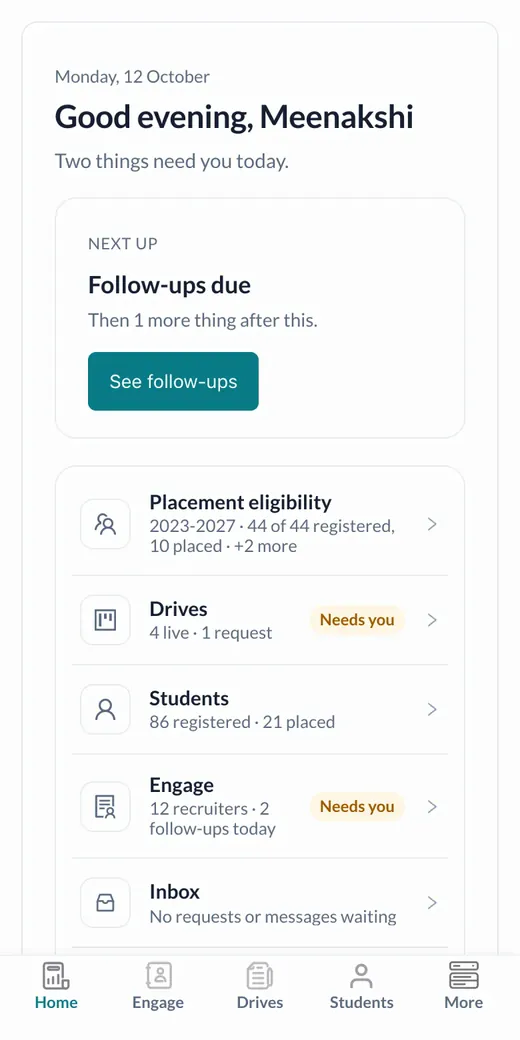
Opportunities sit alongside everything students already do every day.
Every class, room and live link on one timetable, for students and teachers.
Marked as classes happen, with anyone slipping below the minimum flagged the same day.
Videos, notes and resources together in each course.
Opened right from the course page.
Submitted, graded and returned in one place, with every mark where students can see it.
Scanned answer booklets marked against the rubric, with the answers a teacher should check flagged. The teacher decides.
No. Drives, applications, assessments, interviews and offers live in the same portal as their courses, under My Placements, with deadlines on their career calendar.
The placement cell invites a recruiter by email, with a note in its own words and reminders if there's no reply. The recruiter follows one link, confirms with a six-digit code and joins your college's placements, ready to review the drive.
Your placement cell, or the admins you choose, checks each student's education and identity against their documents. Every decision is recorded with the name of who made it, and eligibility uses the verified marks.
A drive that comes from 42 LMS itself rather than from your college. It appears in the same place as your own drives, clearly marked, and students apply the same way.
Your placement cell, for each batch: when a student counts as placed, how many offers they can hold, when they can apply again and how long they have to answer. If the rules change, the new rules apply to applications made after the change.
People brought in from industry. Each project shows its mentor, who reviews the team's work through the sprints, and the work goes into the students' portfolios.
Yes. Reports cover the placement summary, branches, companies, packages, unplaced students, offers and joining, with saved filters, a presentation view and exports, including a CSV for NAAC and NIRF.
That's your rule to set. Once placed, students can apply to drives that pay at least the uplift you choose over their offer, and to any drive marked Dream. Anyone who needs an exception can ask in the portal, and the placement cell decides.
Yes. Students, the placement cell and recruiters each have a mobile layout with their own home screen.
Yes: classes and timetable, attendance, courses and lessons, live classes, assignments and quizzes, and AI grading, alongside placements and Industry Projects.
Learning, Industry Projects and placements, in one place. Tell us about your institute and we'll walk you through it.
To book a walkthrough, write to hello@42lms.com.